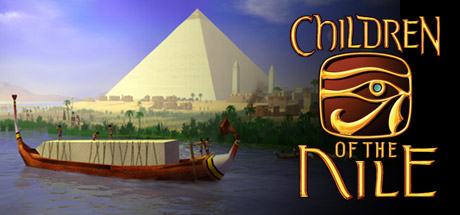
Children of the Nile: Enhanced Edition
Does Children of the Nile: Enhanced Edition run on Windows 11, Apple Silicon Macs, Linux and Steam Deck?
Runs with a fix. See the steps below.1
No Mac version is sold.
Through Proton. ProtonDB: Gold, runs perfectly after tweaks.3
One click, no account, so the next player knows. How we check where it runs
How to get Children of the Nile: Enhanced Edition running today
- If the game stutters regardless of frame rate, copy the replacement d3d9 DLL from the Jade Empire stutter fix into the game folder, as described in this Steam guide thread.
- If the game crashes or will not save, allow it through Windows Security folder protection so it can write to Documents (Steam thread).
- If a TV or monitor picks the wrong refresh rate at the 800×600 main menu, use the modified executable listed on PCGamingWiki.
Synopsis
Children of the Nile is a city builder set in ancient Egypt, where you rule as pharaoh and grow a settlement along the river. Instead of following walkers along roads, each citizen lives out a simulated daily routine, farming during the flood seasons, shopping at markets and worshipping at temples. Prestige comes from monuments, trade and conquest across a campaign of scenarios.
- Developer
- Tilted Mill Entertainment
- Released
- 2004
- Best version
- Play the Enhanced Edition, the only version sold today, since it already includes the v1.3 patch with modern Windows support, new buildings and bug fixes.
- Genre
- Simulation, Strategy
- Where to get it
- Steam
Reception
Critics in 2004 liked its detailed citizen simulation, handsome 3D cities and freedom from a rigid grid, and the PC version holds a Metascore of 75. On Steam it is rated Very Positive, with 84 percent of about 440 reviews recommending it. Players call it relaxing and charming and often ask for a remake, while the common complaints are long waits for services and resources and clunky building placement. Some players also report crashes and poor support for modern monitors.
Playability today
The average of two parts, each from 1 to 5. Tap a check to see why. How it works
Runs today
4/5- Sold or given away today by an official source
- Needs fan patches to run well on Windows 11
- ?Not confirmed yetSingle-player works without an internet connectionNo source covers the current version yet, so this check counts as open, not passed. Played it lately? Tell us
- All of its content still works (servers, DLC, unlocks)The Alexandria expansion is still sold, and nothing has been removed from the current release (PCGamingWiki).
- Supports modern resolutions and widescreenWidescreen works in game, though the main menu stays at 800×600 and ultrawide or 4K needs a workaround (PCGamingWiki).
- No full controller support and no remappable controlsThe game has no controller support (PCGamingWiki).
- ?Not confirmed yetSteam Deck Verified or PlayableNo source covers the current version yet, so this check counts as open, not passed. Played it lately? Tell us
- No intrusive DRM or required third-party launcher account
- No pay-to-win or pushy microtransactions
- No known game-breaking bugs in the current versionPCGamingWiki lists no open crash issue, and the reported crashes and failed saves trace back to Windows folder permissions (Steam).
Design today
3/5- Controls feel awkward on a modern controller or mouse and keyboardKeys cannot be remapped, mouse sensitivity cannot be changed and there is no controller support. Players still describe building placement as clunky. Source: pcgamingwiki.com, steamcommunity.com.
- Menus, text or interface are hard to read on today's screensThe main menu runs at a fixed 800×600, and 4K and ultrawide resolutions need community workarounds with no interface scaling, so text and icons become tiny on high-resolution screens. Source: pcgamingwiki.com.
- Saving is fair: free saves or frequent checkpoints, little lost progressThe options let the player set how often the game autosaves. Failed saves reported by players were fixed by letting the game write to the Documents folder. Source: steamcommunity.com, pcgamingwiki.com.
- It teaches itself: no guide needed to make progressThree tutorials walk through the core systems of farming, housing, services and prestige before the campaign begins. Source: worthplaying.com, gamewatcher.com.
- Pacing drags: grind, filler or forced backtrackingServices, education and resources take a long time to build up, and players describe long stretches of waiting with little to do. One player also found population growth limited on some maps. Source: steamcommunity.com, steamcommunity.com, steamcommunity.com.
- Camera and movement never fight the playerCritics found the camera simple to master, zooming from a close look at a single citizen out to a high overview of the city. Players with large cities would like to pull back further, but no setting allows it. Source: worthplaying.com, gamewatcher.com, steamcommunity.com.
If you like Children of the Nile: Enhanced Edition






Sources
- Steam store page (requirements, platforms)
- SteamSpy (Steam review counts)
- ProtonDB reports
- Metacritic
- PCGamingWiki: Children of the Nile
- Worthplaying: PC Review – 'Immortal Cities: Children of the Nile'
- GameWatcher: Children of the Nile PC Review
- Steam Community: Low framerate / stuttering fix
- Steam Community: Constant crashing
- Steam Community: doesn't save
- Steam Community: Zoom out further
- Steam review: placing and building a bit clunky
- Steam review: excruciatingly slow (not recommended)
- Steam review: slow start, growth through children
- Steam review: population growth limited on some maps
- Steam review: crashes and modern monitor support (not recommended)
How does it play for you today?