
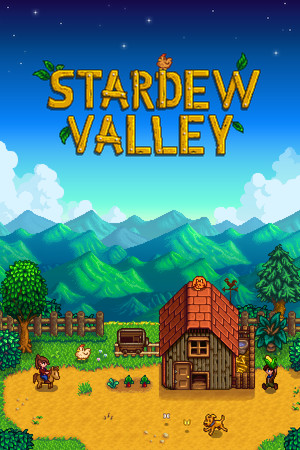
- 886,195 reviews98% positive
- Steam store page
- Released
- 2016
- Developer
- ConcernedApe
- Genre
- Indie, RPG, Simulation
- Runs on
- Windows, macOS, Linux, Steam Deck
- Last checked
- October 31, 2026
Does Stardew Valley run on Windows 11, Apple Silicon Macs, Linux and Steam Deck?
| Windows 11 | Expected to work. It is sold for Windows today and no problem is on record. Source |
|---|---|
| Mac (Apple Silicon) | Yes, it runs on Apple Silicon Macs. Source |
| Linux | Yes, there is a native Linux version. Source |
| Steam Deck | Verified by Valve: it works great on Steam Deck. Source |
Played it lately? Tell other players whether it works for you. One click, no account. How we check where it runs
Synopsis
A farming and life sim in which the player inherits an overgrown plot outside the small town of Pelican Town and slowly turns it into a working farm. Days are spent planting crops, raising animals, fishing, mining a monster-filled cave and getting to know the townsfolk, alone or in online co-op.
What people say
Critics in 2016 praised it as a warm, generous update of the Harvest Moon formula made almost entirely by one developer. Years of free updates have kept it among the most loved games on Steam, and players praise its relaxed, play-at-your-own-pace feel and its depth. The common criticisms are that it explains many mechanics poorly, so new players lean on the wiki, that short days and seasonal deadlines can feel stressful, and that daily chores and early-game energy limits turn repetitive. Some players also find the inventory and tool controls fiddly.
Playability today
Playability runs from 1 to 5. It is the average of two parts. Each part starts at 1 and climbs to 5 as more of its checks pass. Read the method.
Runs today: 5 / 5
- ✓Sold today from an official store
- ✓Runs on Windows 11 without fan patches
- –Single-player works without an internet connection
- –All of its content still works (servers, DLC, unlocks)
- –Supports modern resolutions and widescreen
- ✓Full controller support or remappable controls
- ✓Steam Deck Verified or Playable
- ✓No intrusive DRM or required third-party launcher account
- ✓No pay-to-win or pushy microtransactions
- –No known game-breaking bugs in the current version
Filled in from the Steam store and Valve’s Steam Deck rating. Checks marked – are unknown and do not count until someone checks them.
Design today: 3 / 5
- ✗Controls feel natural on a modern controller or mouse and keyboardPlayers often complain about fiddly inventory handling and controls that lead to using, placing or gifting items by accident. The controller path needs Steam Input turned off, and remapping covers keyboard keys only. Source: vaporlens.app, pcgamingwiki.com.
- ✓Menus, text and interface are clear on today's screensThe pixel-art interface stays clear, supports 4K and offers zoom and UI scale options. Source: pcgamingwiki.com.
- ✓Saving is fair: free saves or frequent checkpoints, little lost progressThe game saves each night when the character goes to bed, so quitting mid-day costs at most one in-game day of roughly a quarter hour. Source: vaporlens.app.
- ✗It teaches itself: no guide needed to make progressReviewers say the game barely explains its systems, with gifts, crafting and goals among them, so new players commonly turn to the wiki. Source: vaporlens.app.
- ✗Pacing holds up: little grind, filler or forced backtrackingPlayers praise the freedom but note a slow early stretch under energy limits and daily chores that grow monotonous. Source: vaporlens.app.
- ✓Camera and movement never fight the playerThe top-down camera follows the player smoothly and can zoom out on PC, and no complaints about it stand out. Source: vaporlens.app.
Judged against games made today, from complaints that recur in recent Steam reviews and discussions, forums, PCGamingWiki and community wikis. Each reason links to where it comes from.
Sources
- Steam store page (requirements, platforms)
- SteamSpy (Steam review counts)
- Steam Deck compatibility, Valve
- ProtonDB reports
- Metacritic
- PCGamingWiki: Stardew Valley
- Vaporlens: Stardew Valley Steam review summary









How does it play for you today?