
Indiana Jones and the Infernal Machine
Does Indiana Jones and the Infernal Machine run on Windows 11, Apple Silicon Macs, Linux and Steam Deck?
Runs with a fix. See the steps below.1
No Mac version is sold.
Through Proton. ProtonDB: Silver, runs with minor issues.3
Unsupported, as rated by Valve.1
One click, no account, so the next player knows. How we check where it runs
How to get Indiana Jones and the Infernal Machine running today
- The simplest way to run the game on Windows 11 is the free DREAMM emulator, which PCGamingWiki recommends for the retail and digital versions (PCGamingWiki).
- If the game crashes when level 7 (Palawan Temple) starts, open Resource\Cog\TEM_introCut.cog in a text editor and add the line player = GetLocalPlayerThing(); above SelectWeapon(player, 14); near line 171, as described in this Steam thread.
- If Indy gets stuck in the scenery, press F10 and type fixme (PCGamingWiki).
- To restore missing sound effects when not using DREAMM, install the DSOAL wrapper linked from PCGamingWiki.
Synopsis
Indiana Jones and the Infernal Machine is a third-person action adventure from LucasArts set in 1947, in which Indy races Soviet agents to the pieces of an ancient Babylonian device. You climb, swim, jump and whip your way through ruins and temples across the world, solving environmental puzzles and fighting soldiers and wildlife along the way.
Reception
Critics in 1999 enjoyed its story, voice cast and inventive puzzles but faulted its stiff, unresponsive controls and clumsy combat, and it was widely compared to Tomb Raider. Players on Steam still praise its music, writing and sense of adventure, and some call it one of the best Indiana Jones games. Many recent reviews are negative because the Steam version crashes, has broken key remapping and needs patching, and players often describe its tank-style controls as hard to live with. Several admit needing a walkthrough for obscure puzzle solutions.
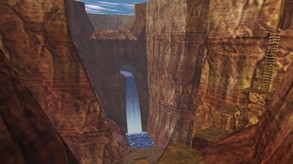 Trailer from Steam
Playability today
The average of two parts, each from 1 to 5. Tap a check to see why. How it works
Runs today
3/5- Sold or given away today by an official source
- Needs fan patches to run well on Windows 11
- ?Not confirmed yetSingle-player works without an internet connectionNo source covers the current version yet, so this check counts as open, not passed. Played it lately? Tell us
- All of its content still works (servers, DLC, unlocks)The game is single-player only and no content has been cut from the current release (PCGamingWiki).
- No proper support for modern resolutions and widescreenProper widescreen is only in the GOG version; elsewhere the image is cropped and needs a fan FOV fix (PCGamingWiki).
- Full controller support or remappable controlsKeys and controller buttons can be remapped and controllers work, though remapping crashes the GOG version and players report it misbehaving on Steam (PCGamingWiki).
- Not Steam Deck Verified or Playable
- No intrusive DRM or required third-party launcher account
- No pay-to-win or pushy microtransactions
- Known game-breaking bugs in the current versionThe Steam version crashes for many players on current Windows, including a known crash at the start of level 7 that needs a file edit (Steam Community).
Design today
1.5/5- Controls feel awkward on a modern controller or mouse and keyboardIndy accelerates slowly and turns like a tank, and one button both jumps and climbs, so a slightly wrong angle sends him into a pit. Recent players still call the controls tank-like, and key remapping misbehaves on current releases. Source: gamerevolution.com, steamcommunity.com, pcgamingwiki.com.
- Menus, text or interface are hard to read on today's screensWidescreen resolutions are only available in the GOG version, where the 3D image is Vert- and HUD elements can be cropped, and the mouse acts like a joystick in menus. Source: pcgamingwiki.com.
- Saving is fair: free saves or frequent checkpoints, little lost progressThe game can be saved at any time to named save files, and players advise saving often. Source: steamcommunity.com, pcgamingwiki.com.
- Hard to make progress without a guidePuzzle solutions are often obscure and unhinted, and players report needing a walkthrough for much of the game. Source: steamcommunity.com, steamcommunity.com.
- Pacing drags: grind, filler or forced backtrackingLarge, confusing levels lead to long stretches of wandering that drain health and supplies, with poisonous spiders and scorpions adding attrition. Source: steamcommunity.com.
- Camera or movement fights the playerShooting requires facing an enemy head-on, turning is imprecise and there is no lock-on, and unpatched copies show odd camera angles at level start that fan Patch 1.2 fixes. Source: gamerevolution.com, pcgamingwiki.com.
If you like Indiana Jones and the Infernal Machine







Sources
- Steam store page (requirements, platforms)
- SteamSpy (Steam review counts)
- ProtonDB reports
- PCGamingWiki: Indiana Jones and the Infernal Machine
- Game Revolution: So, we meet again Dr. Jones review
- DREAMM: LucasArts game emulator
- Steam: Indiana Jones and the Infernal Machine most recent reviews
- Steam: Indiana Jones and the Infernal Machine most helpful reviews
- Steam Community: Bug starting level 7
- Steam Community: Level 7 game crash before boss room
How does it play for you today?