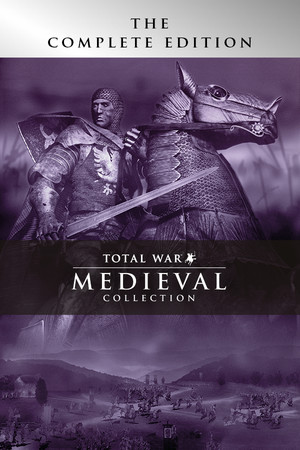
Medieval: Total War – Collection
Does Medieval: Total War – Collection run on Windows 11, Apple Silicon Macs, Linux and Steam Deck?
Runs with a fix. See the steps below.1
No Mac version is sold.
Through Proton. ProtonDB: Gold, runs perfectly after tweaks.3
Playable, as rated by Valve. May need some setup.1
One click, no account, so the next player knows. How we check where it runs
How to get Medieval: Total War – Collection running today
- Install the Unofficial Medieval: Total War Collection Patch, which fixes units not moving when you click terrain, too-fast campaign map scrolling, a pre-battle screen crash and battle performance (GitHub).
- In the video options, raise the campaign map resolution from 800×600 to at least 1024×768 to avoid the pre-battle screen crash (Steam Community).
Synopsis
A grand strategy game set across Europe, North Africa and the Middle East from 1087 to 1453, combining a turn-based campaign map with large real-time battles. You manage a royal family, generals, diplomacy, religion and crusades, then command thousands of soldiers in field battles and sieges. The Collection includes the Viking Invasion expansion with its own British Isles campaign.
- Developer
- Creative Assembly
- Released
- 2002
- Best version
- The Steam and GOG Collection is the version to play, since it adds widescreen support and compatibility updates over the original retail Gold Edition, which no longer runs on modern Windows without fixes.
- Genre
- Action, Strategy
- Where to get it
- Steam
Reception
Critics at release praised its depth, its historical detail and the scale of its battles and sieges, and it holds an 88 Metascore on PC, though some reviewers criticized unit management in battle. Players today still call it one of the best Total War games, with a challenging AI and a board-game feel on the campaign map. Recent Steam reviews, however, report constant crashes, battles that slow to a slideshow and units that ignore move orders on modern Windows, problems now addressed only by a fan patch.
Playability today
The average of two parts, each from 1 to 5. Tap a check to see why. How it works
Runs today
3/5- Sold or given away today by an official source
- Needs fan patches to run well on Windows 11
- ?Not confirmed yetSingle-player works without an internet connectionNo source covers the current version yet, so this check counts as open, not passed. Played it lately? Tell us
- Some content no longer works (servers, DLC, unlocks)Online play ran through GameSpy, which shut down on July 16, 2013, so multiplayer now works only over LAN (PCGamingWiki).
- Supports modern resolutions and widescreenThe Steam and GOG releases support widescreen resolutions, unlike the original retail version (PCGamingWiki).
- No full controller support and no remappable controlsThere is no controller support (PCGamingWiki).
- Steam Deck Verified or Playable
- No intrusive DRM or required third-party launcher account
- No pay-to-win or pushy microtransactions
- Known game-breaking bugs in the current versionRecent players report frequent crashes during campaigns and battles that slow to a slideshow, which the developer never fully fixed (Steam Community).
Design today
3/5- Controls feel awkward on a modern controller or mouse and keyboardOn modern Windows, units in battle ignore left-click move orders on terrain until a fan patch is applied, and there is no controller support. Source: steamcommunity.com, steamcommunity.com, pcgamingwiki.com.
- Menus, text or interface are hard to read on today's screensUltrawide and 4K resolutions are unsupported, and at the default 800×600 campaign resolution black bars hide part of the pre-battle reinforcement screen. Source: pcgamingwiki.com, steamcommunity.com.
- Saving is fair: free saves or frequent checkpoints, little lost progressCampaigns are saved to files in the game's SaveGames folder, and battles are fought from the turn-based campaign map, which gives natural points to save between turns. Source: pcgamingwiki.com.
- It teaches itself: no guide needed to make progressA dedicated campaign tutorial walks new players through the strategy map and its real-time battles. Source: pcgamingwiki.com.
- Pacing holds up: little grind, filler or forced backtrackingTurns move quickly on the board-game style campaign map, and the display of computer moves can be shown or skipped from the campaign tray. Source: steamcommunity.com, nodicenoglory.com.
- Camera or movement fights the playerCampaign map scrolling runs far too fast at modern frame rates, and players report the strategy map dropping below 20 frames per second at 1080p. Source: steamcommunity.com, steamcommunity.com.
If you like Medieval: Total War – Collection

Sources
- Steam store page (requirements, platforms)
- SteamSpy (Steam review counts)
- ProtonDB reports
- PCGamingWiki: Medieval: Total War
- Metacritic: Medieval: Total War
- No Dice No Glory: Retrospective of Medieval: Total War
- Steam Community: Dev log, post game session crash bugs info here
- Steam Community: The reason for crashes
- Steam Community: Can't move troops on battlefield
- Steam Community: Can't move any unit by left-click
- Steam Community: Battles are a slide show unplayable
- Steam Community: Unofficial Medieval: Total War Collection Patch
- GitHub: medieval-total-war-collection-unofficial-patch
How does it play for you today?