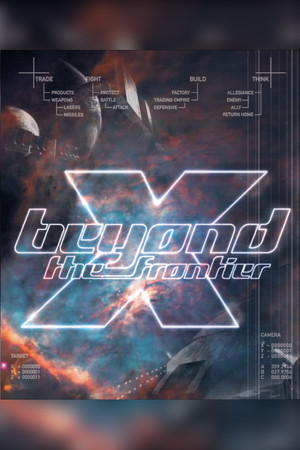
X: Beyond the Frontier
Does X: Beyond the Frontier run on Windows 11, Apple Silicon Macs, Linux and Steam Deck?
Runs with a fix. See the steps below.1
No Mac version is sold.
Through Proton. ProtonDB: Silver, runs with minor issues.3
One click, no account, so the next player knows. How we check where it runs
How to get X: Beyond the Frontier running today
- Pick a 4:3 resolution in the game settings (F8, then the graphics card / 3D page), such as 1280×960, because wider modes cut off the top and bottom of the screen (PCGamingWiki).
- For a proper widescreen view, install the community FOV fix listed on PCGamingWiki (PCGamingWiki).
- If sound goes missing after the first launch, run the game in windowed mode or reset the resolution to its default, as players report this brings the audio back (Steam Community).
Synopsis
A space trading and combat simulation and the first game in Egosoft's X series. A test pilot stranded in a distant part of the galaxy trades goods between space stations, fights pirates and hostile aliens, and slowly earns enough to build factories of his own. A story campaign about finding a way home runs alongside the open-ended economy.
- Developer
- Egosoft
- Released
- 1999
- Genre
- Simulation, Strategy
- Where to get it
- Steam
Reception
Critics at release liked the sense of scale, the detailed economy and the open-ended play, but scored it as average and complained about a near total lack of guidance and a weak manual. Players today mostly recommend it to X series fans curious about where the series began. Common complaints are the dated, clunky interface, a single ship for the whole game, slow early progress and controls that do not remap well. Fans who push through still describe a relaxing trading and factory game that can hold them for a hundred hours.
 Trailer from Steam
Playability today
The average of two parts, each from 1 to 5. Tap a check to see why. How it works
Runs today
3.5/5- Sold or given away today by an official source
- Needs fan patches to run well on Windows 11
- ?Not confirmed yetSingle-player works without an internet connectionNo source covers the current version yet, so this check counts as open, not passed. Played it lately? Tell us
- All of its content still works (servers, DLC, unlocks)The game is single-player and nothing has been removed from the release (PCGamingWiki).
- No proper support for modern resolutions and widescreenWidescreen needs a fan FOV fix; without it the image is cropped and only 4:3 works as intended (PCGamingWiki).
- No full controller support and no remappable controlsControllers work only partly, and not every function can be remapped (PCGamingWiki).
- ?Not confirmed yetSteam Deck Verified or PlayableNo source covers the current version yet, so this check counts as open, not passed. Played it lately? Tell us
- No intrusive DRM or required third-party launcher account
- No pay-to-win or pushy microtransactions
- No known game-breaking bugs in the current versionPCGamingWiki lists no crashes or progress blockers, only resolution problems, though some players report sound cutting out (PCGamingWiki).
Design today
1/5- Controls feel awkward on a modern controller or mouse and keyboardNot every function can be remapped and the main menu cannot be used with the mouse, while players report that remapping fails on non-QWERTY keyboards and that gamepads and joysticks can be hard to get working. Source: pcgamingwiki.com, steamcommunity.com.
- Menus, text or interface are hard to read on today's screensThe game works properly only at 4:3 resolutions, wider modes crop the screen, and players today describe the menus as clunky and cryptic. Source: pcgamingwiki.com, steamcommunity.com.
- Saving is harsh: few saves or checkpoints, progress gets lostSaving is possible only while docked at a station, and each save costs credits through Salvage Insurance, so a death far from the last station loses a lot of progress. Source: gamesfirst.com, steamcommunity.com.
- Hard to make progress without a guideThe tutorial and manual barely explain trading, controls or where to go, and players still point newcomers to the walkthrough file in the game folder. Source: gamesfirst.com, steamcommunity.com.
- Pacing drags: grind, filler or forced backtrackingEarly hours are spent flying between nearby stations for small profits, and long waits during travel make the climb to factory ownership slow and grindy. Source: gamesfirst.com, steamcommunity.com.
- Camera or movement fights the playerAt widescreen resolutions the 3D view is cropped at the top and bottom, so the full field of view needs a 4:3 mode or a fan FOV fix. Source: pcgamingwiki.com, steamcommunity.com.
If you like X: Beyond the Frontier






Sources
- Steam store page (requirements, platforms)
- SteamSpy (Steam review counts)
- ProtonDB reports
- Metacritic
- PCGamingWiki: X: Beyond the Frontier
- GamesFirst: X – Beyond the Frontier review
- Steam Community: X: Beyond the Frontier reviews
- Steam Community: SAVING
- Steam Community: No Sound At All
- Steam Community: Widescreen Fix found (NOT MINE)
How does it play for you today?