
- Windows 11✓ with 4 fixes
- Steam Deck✓ Playable
- Mac✓
- Linux✓ Proton Gold
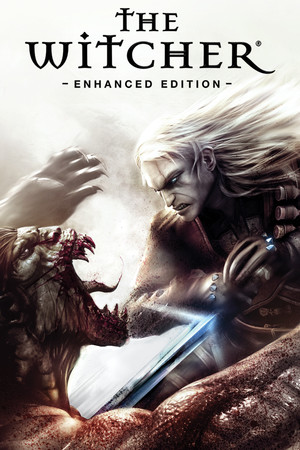
- 82,704 reviews89% positive
- Steam store page
- Released
- 2007
- Developer
- CD Projekt Red
- Genre
- Action, RPG
- Best version today
- The Enhanced Edition Director's Cut sold today is the one to play: it reworked the translation, loading times and inventory of the 2007 launch version.
- Time to beat
- About 35 hours for the main story HowLongToBeat
- Runs on
- Windows, macOS, Linux, Steam Deck
- Last checked
- October 31, 2026
Does The Witcher: Enhanced Edition Director’s Cut run on Windows 11, Apple Silicon Macs, Linux and Steam Deck?
| Windows 11 | ✓Runs with a fix. See the steps below. Source |
|---|---|
| Mac (Apple Silicon) | ✓Runs on Apple Silicon. Source |
| Linux | ✓Through Proton. ProtonDB: Gold, runs perfectly after tweaks. Source |
| Steam Deck | ✓Playable, as rated by Valve. May need some setup. Source |
Played it lately? Press Works for me or Doesn’t work on your platform, so the next player knows. One click, no account. How we check where it runs
How to get The Witcher: Enhanced Edition Director’s Cut running today
What you need
- Optional 7-ZipOpens the downloaded fix pack archive.
- Optional RivaTuner Statistics Server (RTSS)Caps the frame rate on any graphics card, if you do not use the Nvidia or AMD driver limiter.
- Optional Project Mersey, The Witcher Fix PackUnofficial patch that fixes bugs, restores cut content and adds comfort improvements such as storage in Chapter V. Downloading from Nexus Mods needs a free account.
Steps
Open a step for the full walkthrough.
-
If the game crashes at launch, set witcher.exe to compatibility mode for Windows 7.
- In Steam, right-click the game > Manage > Browse local files.
- Open the System folder and find witcher.exe.
- Right-click witcher.exe and choose Properties.
- Open the Compatibility tab and tick Run this program in compatibility mode for.
- Choose Windows 7 from the list, then click Apply and OK.
- Start the game from Steam and check that it reaches the main menu.
-
If the game still crashes, play in windowed mode and turn off the Steam overlay, as listed on PCGamingWiki.
- In Steam, right-click the game > Properties > General.
- Turn off Enable the Steam Overlay while in-game.
- Start the game, open the options, and switch the display to windowed mode.
- Play for a while and check whether the crashes stop.
-
Cap the frame rate at 60 FPS, since higher frame rates cause hair physics glitches, script issues and crashes (PCGamingWiki).
- On Nvidia: open the NVIDIA Control Panel, go to Manage 3D settings > Program Settings, add witcher.exe from the game's System folder, set Max Frame Rate to 60 and click Apply.
- On AMD: with the game closed, press Alt+R to open the Radeon Overlay, turn on Radeon FRTC or Radeon Chill and set it to 60.
- On any graphics card: install and run RTSS, add the game's profile (or use the global profile), and set Framerate limit to 60.
- Start the game and play; the hair and script glitches should not appear.
-
Optionally install Project Mersey, The Witcher Fix Pack, which acts as an unofficial patch and adds small comfort improvements.
- Open the mod page, click the Files tab, and download the main file.
- In Steam, right-click the game > Manage > Browse local files, then open the Data folder.
- Copy the modules folder somewhere outside the game folder as a backup. Do not keep the backup inside the game folder, or the game fails to load.
- Open the downloaded archive with 7-Zip and extract the Override and modules folders into the Data folder.
- Confirm when Windows asks to overwrite a file in the modules folder.
- Start a new game for the best result; quest file fixes only work in a new game.
Synopsis
A story-driven role-playing game that introduces Geralt of Rivia, a monster hunter who wakes with no memory as a gang raids his fortress. You track the thieves across a grim medieval world, take contracts on monsters, brew potions and make choices whose results surface chapters later.
What people say
Critics at release praised its mature writing, moral gray areas and atmosphere, while faulting long load times and a clumsy English translation that the Enhanced Edition later improved. Players today still value the story, mood and side characters, and many call it worth the effort. The timing-based combat is the main barrier, widely described as awkward and poorly explained, and the dated visuals put some players off. Repeated trips across the same swamp and city districts and slow middle chapters are other common complaints.
Playability today
The average of two parts, each from 1 to 5. Tap a check to see why. How it works
Runs today
4.5 / 5- ✓Sold or given away today by an official source
- ✗Needs fan patches to run well on Windows 11
✓Single-player works without an internet connection
GOG sells a DRM-free version that plays offline (GOG).
✓All of its content still works (servers, DLC, unlocks)
PCGamingWiki records no shut-down servers or lost content (PCGamingWiki).
✓Supports modern resolutions and widescreen
Native widescreen and modern resolutions (PCGamingWiki).
✓Full controller support or remappable controls
Remappable keys (PCGamingWiki).
- ✓Steam Deck Verified or Playable
- ✓No intrusive DRM or required third-party launcher account
- ✓No pay-to-win or pushy microtransactions
✓No known game-breaking bugs in the current version
The open issues PCGamingWiki lists are minor and do not stop play (PCGamingWiki).
From the Steam store, Valve’s Steam Deck rating and the sources under each check. Checks not confirmed yet don’t count.
Design today
2.5 / 5✗Controls feel awkward on a modern controller or mouse and keyboard
Combat relies on timed clicks that many find awkward, and the PC version has no controller support. Source: consolepulse.com.
✗Menus, text or interface are hard to read on today's screens
Even after the Enhanced Edition's fixes, inventory and ingredient handling stay busy and the journal does not sort urgent leads well. Source: consolepulse.com, en.wikipedia.org).
✓Saving is fair: free saves or frequent checkpoints, little lost progress
Saving is free and quicksave works at any time outside combat, and old savegames carry over to the Enhanced Edition. Source: en.wikipedia.org), pcgamingwiki.com.
✗Hard to make progress without a guide
The combat explains itself badly, and alchemy and key knowledge come from books and conversations that are easy to miss. Source: consolepulse.com.
✗Pacing drags: grind, filler or forced backtracking
Players often complain about repeated walks across the same swamp, streets and gates and about errands that stall the story. Source: consolepulse.com.
✓Camera and movement never fight the player
Players choose between two isometric views and an over-the-shoulder view, and complaints about the game focus on walking distance rather than the camera. Source: en.wikipedia.org), consolepulse.com.
Judged against games made today, from complaints that recur among players. Each reason links to its source.
Sources
- Steam store page (requirements, platforms)
- SteamSpy (Steam review counts)
- Steam Deck compatibility, Valve
- ProtonDB reports
- Metacritic
- PCGamingWiki: The Witcher
- Steam: The Witcher: Enhanced Edition now supports Apple silicon chips!
- ConsolePulse: The Witcher Enhanced Edition Review (2026)








How does it play for you today?