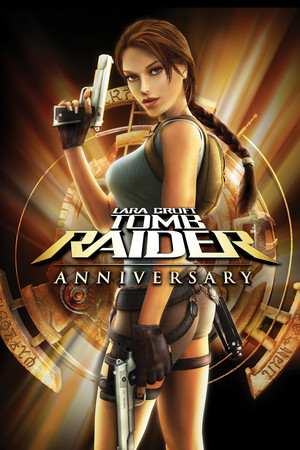
Tomb Raider: Anniversary
Does Tomb Raider: Anniversary run on Windows 11, Apple Silicon Macs, Linux and Steam Deck?
Runs with a fix. See the steps below.1
No Mac version is sold.
Through Proton. ProtonDB: Platinum, runs perfectly out of the box.3
Playable, as rated by Valve. May need some setup.1
One click, no account, so the next player knows. How we check where it runs
How to get Tomb Raider: Anniversary running today
- In the setup launcher shown before the game starts, enable V-Sync and set the refresh rate to 60 Hz, since higher frame rates can break physics, enemy behavior and progress in some areas (PCGamingWiki).
- If the game crashes at startup, add tra.exe under Windows Security, App and browser control, Exploit protection, Program settings, and turn Data Execution Prevention off for it (PCGamingWiki).
Synopsis
Tomb Raider: Anniversary is Crystal Dynamics' remake of the 1996 original, rebuilt on the engine and move set of Tomb Raider: Legend. Lara Croft hunts for pieces of the Scion artifact through Peru, Greece, Egypt and Atlantis, climbing, swinging on her grapple and solving large room-sized puzzles. Combat against wolves, bears and other creatures is brief and comes between long stretches of exploration.
- Developer
- Crystal Dynamics
- Released
- 2007
- Genre
- Action, Adventure
- Where to get it
- Steam
Reception
Critics welcomed it as a faithful but reworked remake, and the PC version holds a Metascore of 83. Reviewers praised the redesigned puzzles, the visuals and the soundtrack, while faulting moments where Lara misses jumps and ledge grabs the player intended. Today it sits at Very Positive on Steam, with 82 percent of about 6,700 reviews recommending it. The camera remains the most common complaint, especially its automatic recentering when playing with a gamepad.
Playability today
The average of two parts, each from 1 to 5. Tap a check to see why. How it works
Runs today
4.5/5- Sold or given away today by an official source
- Needs fan patches to run well on Windows 11
- ?Not confirmed yetSingle-player works without an internet connectionNo source covers the current version yet, so this check counts as open, not passed. Played it lately? Tell us
- All of its content still works (servers, DLC, unlocks)The game is single-player only and no content has been removed from the current release (PCGamingWiki).
- Supports modern resolutions and widescreen16:9 and 16:10 are supported natively, while ultrawide needs a fan tool (PCGamingWiki).
- Full controller support or remappable controlsFull controller support and key remapping are available (PCGamingWiki).
- Steam Deck Verified or Playable
- No intrusive DRM or required third-party launcher account
- No pay-to-win or pushy microtransactions
- No known game-breaking bugs in the current versionKnown problems, such as broken physics at high frame rates and startup crashes, have documented fixes (PCGamingWiki).
Design today
3.5/5- Controls feel awkward on a modern controller or mouse and keyboardFull controller support and key remapping are present, but Lara sometimes fails to make the jump or ledge grab the player pressed for, causing unfair deaths. The keyboard and mouse layout is awkward enough that a gamepad is the better choice. Source: cubed3.com, commonsensemedia.org, pcgamingwiki.com.
- Menus, text and interface are clear on today's screensThe game supports 16:9 and 16:10 resolutions natively, earned a WSGF gold widescreen rating, runs at 4K and includes subtitles. Ultrawide screens need a third-party fix. Source: pcgamingwiki.com.
- Saving is fair: free saves or frequent checkpoints, little lost progressThe game autosaves at frequent numbered checkpoints and also allows manual saves, with a save prompt at the end of each level. Source: ftp.tombraiders.net.
- It teaches itself: no guide needed to make progressA training area in Croft Manor lets players practice running, jumping, climbing, swimming, shooting and the grapple before the first expedition. Source: commonsensemedia.org, ftp.tombraiders.net.
- Pacing holds up: little grind, filler or forced backtrackingLevels are smaller and more linear than in the 1996 original, so they rarely drag, and fights are short and infrequent. A few sections still turn slow. Source: cubed3.com.
- Camera or movement fights the playerThe camera recenters itself while Lara moves and sometimes locks behind her, hiding enemies and swing points, and Steam players still ask how to turn off the auto-follow, which only a hex edit removes. Source: steamcommunity.com, steamcommunity.com, commonsensemedia.org.
If you like Tomb Raider: Anniversary
Sources
- Steam store page (requirements, platforms)
- SteamSpy (Steam review counts)
- ProtonDB reports
- Metacritic
- PCGamingWiki: Tomb Raider: Anniversary
- Cubed3: Tomb Raider: Anniversary (PC) Review
- Common Sense Media: Lara Croft Tomb Raider: Anniversary Game Review
- Stella's Tomb Raider Site: Tomb Raider Anniversary Walkthrough, Peru, Caves
- Steam Community: Any way to turn off camera auto-follow?
- Steam Community: The camera in this game is so annoying
How does it play for you today?