
- Windows 11✓ with 2 fixes
- Steam Deck✓ Playable
- Mac✓ no Mac version, runs through CrossOver
- Linux✓ Proton Gold
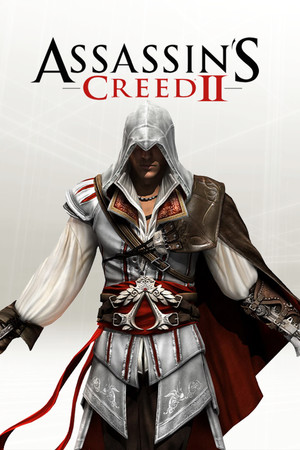
- 54,646 reviews89% positive
- Steam store page
- Released
- 2009
- Developer
- Ubisoft Montreal
- Genre
- Action, Adventure
- Time to beat
- About 19.5 hours for the main story HowLongToBeat
- Runs on
- Windows, Linux, Steam Deck
- Last checked
- October 31, 2026
Does Assassin’s Creed II run on Windows 11, Apple Silicon Macs, Linux and Steam Deck?
| Windows 11 | ✓Runs with a fix. See the steps below. Source |
|---|---|
| Mac (Apple Silicon) | ✓No Mac version is sold. Plays on a Mac through CrossOver or Parallels (AppleGamingWiki). |
| Linux | ✓Through Proton. ProtonDB: Gold, runs perfectly after tweaks. Source |
| Steam Deck | ✓Playable, as rated by Valve. May need some setup. Source |
Played it lately? Press Works for me or Doesn’t work on your platform, so the next player knows. One click, no account. How we check where it runs
How to get Assassin’s Creed II running today
What you need
- Required EaglePatchAC2Adds support for all XInput controllers, lets controller and mouse work together, and raises draw distance and shadow quality. Download EaglePatchAC2.zip.
- Required Ultimate ASI Loader v4.68Loads EaglePatchAC2 into the game. The EaglePatch README links this exact version.
Steps
Open a step for the full walkthrough.
-
Install EaglePatchAC2 with the Ultimate ASI Loader, following the EaglePatch README.
- No mod manager is needed. Files are copied by hand.
- In Steam, right-click the game > Manage > Browse local files.
- Extract Ultimate-ASI-Loader.zip and copy dinput8.dll into the game folder.
- In the game folder, create a new folder named scripts.
- Extract EaglePatchAC2.zip and copy EaglePatchAC2.asi and EaglePatchAC2.ini into the scripts folder.
- Open EaglePatchAC2.ini in Notepad to turn individual features on or off.
- The in-game control layout switch no longer has an effect. If you did not use the KeyboardMouse2 layout, change KeyboardLayout in EaglePatchAC2.ini.
-
If the game crashes when you return to Florence from Monteriggioni for the first time, set ImproveDrawDistance to 0 in EaglePatchAC2.ini (PCGamingWiki).
- In Steam, right-click the game > Manage > Browse local files, and open the scripts folder.
- Open EaglePatchAC2.ini in Notepad.
- Find the line ImproveDrawDistance and change its value from 1 to 0.
- Save the file and start the game. PCGamingWiki notes this also fixes other issues caused by the maxed draw distance.
Synopsis
An open-world action-adventure set in Renaissance Italy. You play Ezio Auditore, a young nobleman drawn into a family feud and an ancient conspiracy, climbing over the rooftops of Florence and Venice, blending into crowds and carrying out assassinations. Between story missions you can renovate your family's villa, solve hidden puzzles and hunt for collectibles.
What people say
Critics at release called it a big step up from the first game, praising the cities, the story, the variety of missions and the more fluid climbing, though some still found the free-running imprecise. Players today often name it a series high point and like that its side content ties back into the story. Common criticisms now are parkour that sends Ezio leaping in the wrong direction, button-mashing combat in large fights, awkward keyboard defaults, and the required Ubisoft Connect launcher.
Playability today
The average of two parts, each from 1 to 5. Tap a check to see why. How it works
Runs today
3.5 / 5- ✓Sold or given away today by an official source
- ✗Needs fan patches to run well on Windows 11
✗Some content no longer works (servers, DLC, unlocks)
Some content is gone: its online services shut down on October 1, 2022 (PCGamingWiki).
✓Supports modern resolutions and widescreen
Native widescreen and modern resolutions (PCGamingWiki).
✓Full controller support or remappable controls
Controller support (PCGamingWiki).
- ✓Steam Deck Verified or Playable
- ✗Intrusive DRM or a required third-party launcher account
- ✓No pay-to-win or pushy microtransactions
✓No known game-breaking bugs in the current version
The open issues PCGamingWiki lists are minor and do not stop play (PCGamingWiki).
1 check not confirmed yet
- Single-player works without an internet connection
From the Steam store, Valve’s Steam Deck rating and the sources under each check. Checks not confirmed yet don’t count.
Design today
3.5 / 5✗Controls feel awkward on a modern controller or mouse and keyboard
Keyboard defaults feel awkward to players, and controller support is limited to older pads unless a fan patch adds XInput support. Source: vaporlens.app, pcgamingwiki.com.
✓Menus, text and interface are clear on today's screens
The HUD is restrained, with a small radar, a health bar and a mission list, and it stays readable. Narrower screen shapes such as 16:10 are letterboxed. Source: ggrecon.com, pcgamingwiki.com.
✓Saving is fair: free saves or frequent checkpoints, little lost progress
The game saves automatically at mission checkpoints and at synchronization points, so progress is rarely lost. Source: vaporlens.app.
✓It teaches itself: no guide needed to make progress
The opening hours introduce climbing, combat and the money system one at a time, and the game shows its prompts on screen. Nobody needs a guide to progress. Source: ggrecon.com.
✓Pacing holds up: little grind, filler or forced backtracking
Side content feeds the main story rather than padding it, though the hundred hidden feathers are excessive for completionists. Source: ggrecon.com.
✗Camera or movement fights the player
Free-running often launches Ezio in an unintended direction, so movement can work against the player during chases. Source: ggrecon.com.
Judged against games made today, from complaints that recur among players. Each reason links to its source.
Sources
- Steam store page (requirements, platforms)
- SteamSpy (Steam review counts)
- Steam Deck compatibility, Valve
- ProtonDB reports
- Metacritic
- PCGamingWiki: Assassin's Creed II
- GGRecon: You Should Play Assassin's Creed II Again
- VaporLens: Assassin's Creed 2 Steam review summary




How does it play for you today?